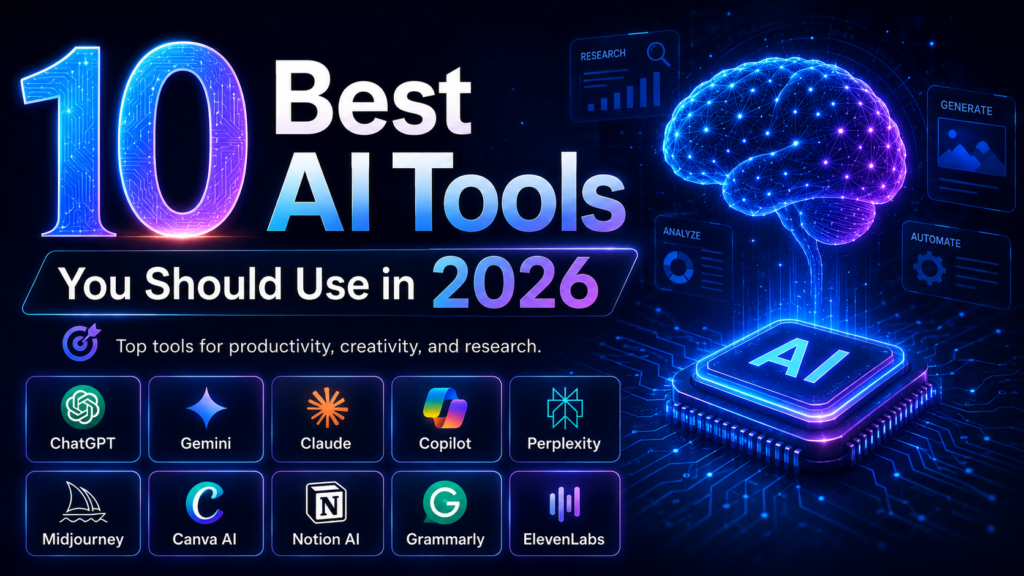
10 Best AI Tools You Should Use in 2026
Artificial intelligence is no longer something we only see in science fiction movies. In 2026, AI has become part of the way people work, study, create content, manage businesses, and solve everyday problems.
The interesting thing about AI today is not simply how powerful it has become. What really matters is how accessible it is. You no longer need to be a programmer or technology expert to use artificial intelligence. In many cases, all you need is an idea and the ability to explain what you want.
Writers are using AI to develop ideas. Students are using it to understand difficult subjects. Business owners are using AI to organize information and improve productivity. Designers can create visuals from simple descriptions, while content creators can turn text into realistic voices.
The problem is that there are now so many AI tools available that choosing the right one can be confusing.
Some tools are excellent for research but may not be the best choice for design. Others are powerful writing assistants but offer very little for video or audio creators.
So, which AI tools are actually worth using?
Here are 10 of the best AI tools you should consider using in 2026. This is an editorial selection based on the practical features currently offered by these products.
1. ChatGPT
ChatGPT remains one of the most flexible AI tools available for everyday users.
What makes ChatGPT useful is the number of different tasks you can handle in one place. You can use it to brainstorm ideas, explain complicated topics, work on writing and code, analyze uploaded information, discuss images, search the web, and perform data-related tasks. OpenAI’s current product information also highlights writing, coding, charts, image discussion, web search, and more complex task assistance as part of the ChatGPT experience.
For bloggers, ChatGPT can be a helpful brainstorming partner. You can start with a simple topic and ask for content angles, possible questions readers might have, or a clearer structure for your article.
Students can use it to ask for simpler explanations instead of reading the same difficult paragraph many times. A user could say, “Explain this like I am a beginner,” and then continue asking questions until the subject becomes easier to understand.
ChatGPT is also useful for business owners. It can help organize rough notes, improve communication, develop ideas, and analyze information.
The biggest mistake people make with ChatGPT is expecting a perfect result from a poor instruction.
AI tools work better when you clearly explain your goal, audience, preferred tone, and important limitations. Instead of saying, “Write about technology,” you could explain that you need a beginner-friendly article for readers interested in artificial intelligence.
The more useful context you provide, the more useful the result can become.
Best for: Everyday AI use, brainstorming, writing, learning, coding, and productivity.
2. Google Gemini
Gemini is Google’s AI assistant and has become an interesting option for people who want an AI tool for creativity, research, learning, and productivity.
The current Gemini experience includes features such as Deep Research, Gemini Live, Canvas, Gems, and image generation and editing. Google also describes Gemini as an assistant for brainstorming ideas, simplifying complex subjects, and helping users prepare for important situations.
One of Gemini’s useful features is Deep Research.
Research can normally require opening many pages, comparing information, taking notes, and trying to understand how different sources connect. Google describes Deep Research as a feature designed to conduct research and produce a detailed report with links to original sources.
Gemini can also be helpful for people who already spend a lot of time using Google products.
Another interesting part of Gemini is Canvas. It provides a space where users can work on ideas and content more interactively. Google has also introduced Audio Overview features that can transform certain documents, slides, and Deep Research reports into podcast-style audio discussions.
3. Claude
Claude, created by Anthropic, is another powerful AI assistant that deserves attention in 2026.
Many users look for an AI tool that can help them think through complicated work instead of simply producing a quick paragraph. Claude can be useful for writing, analysis, and technical workflows.
Anthropic has also developed Claude Code, an agentic coding system designed to read a codebase, make changes across files, run tests, and support development work. You do not need to be a developer to find Claude useful.
Writers can use an AI assistant like Claude to examine the structure of an article, identify unclear ideas, and improve the logical flow of long content. Business professionals may use it to work through large amounts of written information or develop clearer documents.
The important thing is to treat AI as a collaborator rather than a machine that should replace your judgment.
For example, imagine you have written a long article but feel something is missing. Instead of asking Claude to completely replace your article, you could ask it to identify weak sections, repeated arguments, and questions the reader may still have.
That type of AI workflow can help you improve your own work. Best for: Long-form writing, analysis, thoughtful work, and coding.
4. Microsoft Copilot
For people who spend much of their working day using Microsoft products, Copilot can be a practical AI tool.
Microsoft describes Copilot as an AI-powered assistant designed to provide contextual support, improve productivity, and help streamline workflows. Microsoft 365 Copilot is specifically positioned as an AI assistant for work.
Think about how much time people spend working with documents, presentations, meetings, and business communication.
The value of AI in these situations is not always creating something completely new. Sometimes, the biggest benefit is reducing repetitive work.
For example, you may have a long document that needs to be understood quickly. AI assistance can help summarize information before you review the important details yourself.
You may also have rough notes that need to become a clearer business document.
Microsoft’s own Copilot learning materials show examples involving document summaries and productivity workflows.
Copilot makes the most sense for people and organizations already working heavily within the Microsoft ecosystem. Best for: Office work, business productivity, documents, and Microsoft 365 users.
5. Perplexity
Searching the internet can sometimes feel exhausting.
You search for one question, open several tabs, close three advertisements, read half an article, return to Google, and suddenly forget what you were originally researching.
Perplexity approaches online research as an AI-powered answer and research experience.
Its current product pages emphasize cited answers, deeper analysis, and agentic research workflows. Perplexity also offers Deep Research capabilities designed to conduct broad searches and synthesize information into detailed reports.
The citations are one of the reasons Perplexity is useful. When researching a subject, you should not blindly trust a paragraph simply because an AI generated it. You need the ability to investigate where important information comes from.
Perplexity can make the early stage of research easier by helping users discover information and move toward relevant sources.
However, you should still open important sources and verify major claims yourself, especially when writing about health, finance, law, or other sensitive subjects.
For bloggers and content creators, Perplexity can be useful during research before writing an article.
Instead of using AI to produce generic content immediately, you can first understand the subject, identify reliable information, and then create something valuable for your audience. Best for: Web research, source discovery, and exploring complicated questions.
6. Midjourney
Midjourney is one of the most interesting AI tools for visual creators. The basic idea is simple. You describe an image, and AI helps create a visual based on your description. But effective AI image generation is more than writing “create a beautiful image.” You need to think like a creative director. What is the subject? What is happening in the scene? What type of lighting do you want?
Should the image feel cinematic, realistic, minimal, futuristic, or dramatic?
Midjourney’s documentation currently includes tools for refining images through variations, zooming, panning, editing, and other modification workflows. Its latest documentation also describes HD image generation in its newer model versions.
This makes Midjourney useful for creative concepts, visual inspiration, thumbnails, advertising ideas, and artistic experiments.
In 2026, the ability to clearly describe a visual idea is becoming an increasingly valuable creative skill. The AI may generate the image, but the human still provides direction.
A person with a strong idea and clear visual taste can often achieve a more interesting result than someone who simply types a few random words. Best for: AI images, creative visuals, concept art, and visual inspiration.
7. Canva AI
Canva has always been popular among people who want to create designs without learning complicated professional design software.
Its AI tools make the creative process even more accessible.
Canva describes its AI experience as supporting design, writing, brand work, coding, and conversational creation inside its visual platform. Its AI assistant can help users visualize ideas, generate text, and create designs in one place.
This is especially useful for social media managers, small business owners, students, and content creators. Imagine that you need an Instagram post, a presentation, a YouTube thumbnail concept, and a promotional design for your business.
Traditionally, you may need to move between several different tools. Canva’s AI features are designed to bring more of the creative process into one environment.
Magic Design can generate design suggestions based on text and media, while Canva’s broader AI tools also include writing and AI-powered image features.
Of course, AI design does not automatically make every design beautiful. You still need to understand your brand, audience, colors, and message. Use AI to speed up the creative process, but do not allow every design to become generic.
Best for: Social media graphics, presentations, marketing content, and simple design workflows.
8. Notion AI
Notion AI is worth considering for people who have ideas everywhere. One note is on your phone. Another idea is inside a document. You wrote a project plan last month but cannot remember where you saved it. Your meeting notes are sitting in a completely different place.
This is where an AI workspace can become useful.
Notion currently presents its AI tools as a system for searching, writing, note-taking, automation, and working with information inside the workspace. Its AI product also includes Agents and enterprise search capabilities across connected work tools.
Notion AI can help create content, understand information, search for answers, and automate certain repetitive work.
For content creators, it can be used to organize an editorial calendar and article ideas. For business owners, it can help structure project information. Students may use Notion to organize subjects, notes, and study plans.
The real benefit is organization.
AI becomes more helpful when it understands the context of the work you are doing. A workspace containing your own projects and documents can provide a more practical environment for AI-assisted productivity.
Best for: Organization, notes, project workflows, knowledge management, and teams.
9. Grammarly
Writing with AI does not always mean asking a chatbot to create an entire article.
Sometimes, you simply want your own writing to sound clearer.
Grammarly is designed around AI-powered writing assistance. Its official product information describes features that help with grammar, phrasing, rewriting, tone adjustments, and AI-supported writing. Grammarly’s AI writing assistant can also help users develop ideas and outlines for emails, reports, articles, and other types of content.
This can be helpful for people writing in English as a second language. You may know exactly what you want to say but feel unsure about grammar or sentence structure. A writing assistant can help you identify problems and improve clarity.
Sometimes, your natural writing style is part of what makes your content human. If you continuously replace every sentence with the most formal version possible, your writing may lose personality.
Use Grammarly to improve your writing, not erase your voice.
Best for: Grammar, rewriting, clearer English, professional communication, and editing.
10. ElevenLabs
Video creators, podcasters, and storytellers should pay attention to ElevenLabs.
ElevenLabs focuses heavily on AI voice technology. Its current platform includes text-to-speech, speech-to-text, voice changing, voice cloning, sound effects, and voice-related AI tools. The company currently describes support for lifelike speech across more than 70 languages in parts of its voice platform.
Text-to-speech technology can turn written content into spoken audio.
This is useful when creating video voiceovers, podcasts, audiobooks, and other audio experiences. ElevenLabs specifically lists video voiceovers, audiobooks, podcasts, and accessibility among text-to-speech use cases.
For content creators, this can make audio production much faster.
Imagine writing a script for a short educational video. Instead of recording the voice several times because of mistakes, you could experiment with AI-generated narration.
Voice cloning technology also creates interesting possibilities, but it should be used responsibly and with proper permission. ElevenLabs’ current voice product information describes voice cloning and consent verification for parts of its cloning experience.
AI voice technology is becoming more realistic, which makes responsible use increasingly important.
Best for: Voiceovers, podcasts, audio content, and AI speech.
How to Choose the Right AI Tool
The best AI tool is not always the most popular one.
It is the tool that solves your actual problem.
Before paying for an AI subscription, ask yourself one simple question:
What task am I trying to make easier?
For research, you may prefer Perplexity or Gemini.
For general AI assistance, ChatGPT or Claude may fit your workflow.
For visual creation, Midjourney and Canva AI offer different creative experiences.
For organization, Notion AI may make more sense.
Writers can benefit from Grammarly, while video and audio creators may find ElevenLabs useful.
You also do not need to subscribe to every AI tool you see online.
Start with one or two tools.
Learn how they work.
Experiment with different instructions.
Understand their strengths and limitations.
Only add another tool when you have a real reason to use it.
Final Thoughts
AI tools are changing quickly, but the most important skill in 2026 is not simply knowing the names of the latest platforms.
The real skill is knowing how to use artificial intelligence with purpose.
AI can help you move faster, explore ideas, organize information, create visuals, improve writing, and automate parts of your workflow.
But AI still needs human direction.
Your experience matters.
Your creativity matters.
Your judgment matters.
The people who benefit most from artificial intelligence will not necessarily be those who use the largest number of AI tools. They will be the people who understand their problems, choose the right technology, and use it intelligently.
ChatGPT, Gemini, Claude, Microsoft Copilot, Perplexity, Midjourney, Canva AI, Notion AI, Grammarly, and ElevenLabs are all worth exploring in 2026.
You do not have to master all of them today.
Choose one.
Learn it.
Use it to solve a real problem.
Then build from there.
The future of AI is already here, and the best time to understand these tools is now.